
What Castle actually does on a phone or TV
Castle is a streaming index that groups public third-party sources under one interface. You open the app, browse or search, and choose a title, channel or live match to play. The free tier shows ads; an optional premium tier removes them. The app itself stores no media files.
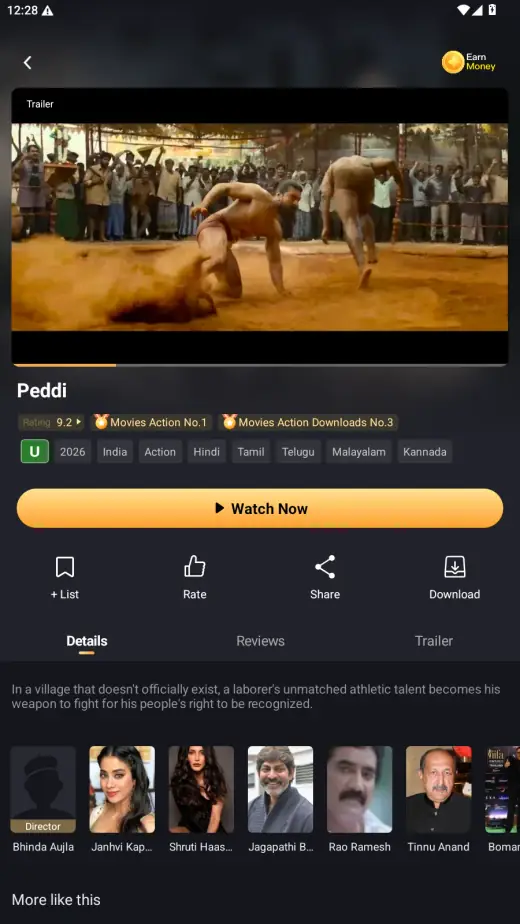
The Android build covers phones and tablets on Android 6.0+. Live TV and cricket appear in their own areas, and selected on-demand titles can be saved for offline viewing. The TV build is a separate APK designed for a remote control and a large screen.
- Movies and web series organised by language and genre
- Live TV channels and live sport, including cricket
- Adaptive HD and Full HD playback
- Offline downloads for selected titles
- A remote-friendly layout on Android TV and Fire TV Stick
Which languages, subtitles and dubbing are available?
Castle's interface is available in 21 languages, so menus, categories and search read in the language you choose. Subtitle and dubbing tracks depend on the title: some releases offer several audio and subtitle options, while others keep a single track. The player shows the tracks that exist for the selected title.
Language support is per title rather than a fixed list across the whole catalogue. If a film does not show subtitles in your language, that limitation comes from the source track, not from a missing app setting. The in-app language selector changes the interface, not every source track.
How does search, filtering and offline downloading work?
Search accepts a title, an actor or a genre, and filters narrow results by language or category. The home screen surfaces trending and recently added content, while categories group movies, series, live TV and sport separately.
Selected on-demand titles carry a download option that saves them on the device for viewing without a connection. Limits on saved titles are shown inside the app itself; downloads live in local storage and are removed when you uninstall the app.
- Search or browse. Type a title, actor or genre in search, or open a category from the home screen.
- Open the title. Select a release to see its available tracks and any download option.
- Save for offline. Choose the download option when available, then watch from your downloads list without a connection.
Which phones, tablets, TVs and sticks support Castle?
The phone APK runs on Android phones and tablets meeting Android 6.0+. Android TV boxes, televisions on Android TV and Fire TV Stick devices use the separate TV APK (v1.1.3, about 21 MB), which is built around a remote control.
You do not need to sign in to watch on multiple devices: install the right build for each screen. On a Windows or macOS computer, the phone APK can run inside a free Android emulator. There is no native iOS app and no native desktop build.
What Castle does not do: honest limits to know
Castle indexes public third-party sources rather than hosting its own media catalogue, so a channel or match may move or disappear when its source changes. The app does not promise every title in every language, and it cannot add tracks that the source release does not carry.
The free tier includes ads, and an optional premium tier removes them. There is no native iPhone or iPad build, and no verified ratings, download counts or review scores are published here. Check the app itself for today's availability, and use only the official APK from this website.
FAQ
Do I need an account to use Castle?
No. Watching, searching and downloading selected titles works without registration. An account is used only by the optional invite-rewards programme inside the app.
Which devices can run Castle?
The phone APK works on Android phones and tablets on Android 6.0+. Android TV and Fire TV Stick use the separate TV APK; a computer can run the phone APK in an Android emulator.
Is there an iOS version of Castle?
No. Castle is an Android app with no native iPhone or iPad build, no App Store listing and no official IPA. Any file claiming to be Castle for iOS is not distributed through this website.
What is the difference between the free and premium tiers?
The free tier is ad-supported and includes the full set of browsing and playback features. An optional premium tier removes ads; it does not unlock a separate catalogue or paid titles.