
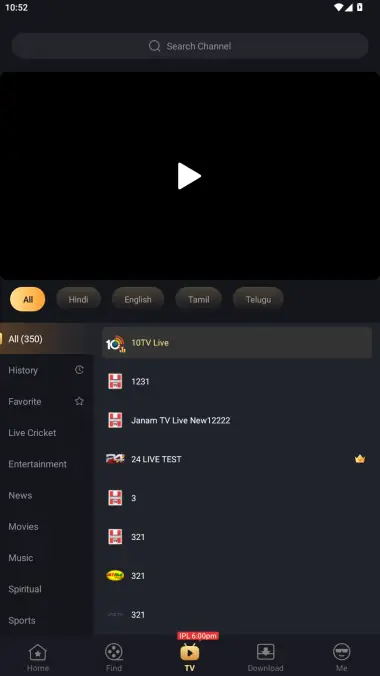
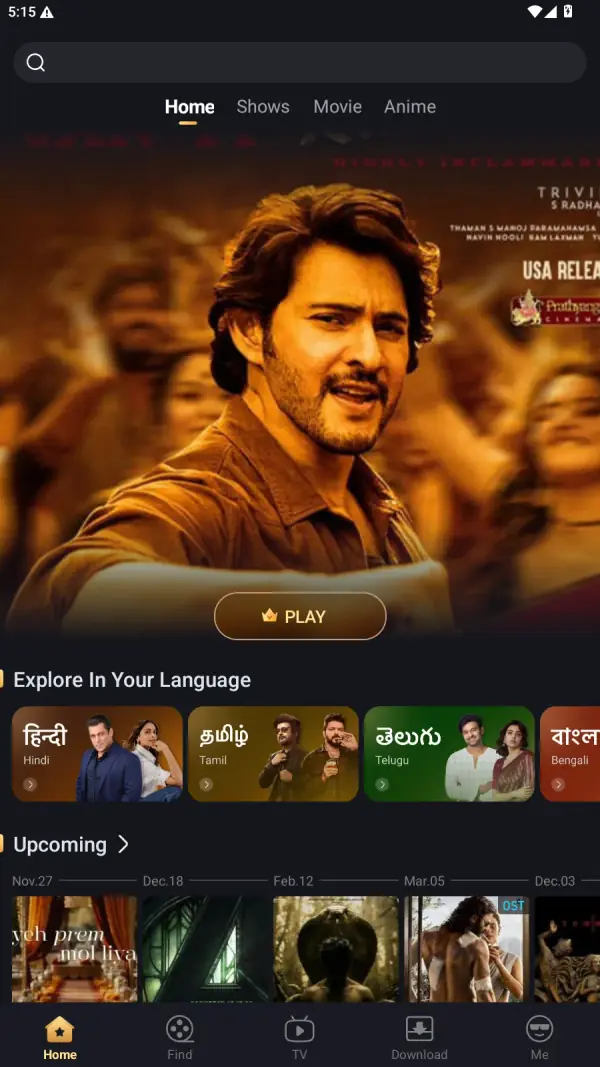
What is Castle APK?
Castle is a free, ad-supported Android app that brings movies, web series, live TV channels and cricket together in one place. Instead of paying for several streaming subscriptions, you install one APK and choose what to watch.
The app is not listed on the Google Play Store. It is distributed as an APK file from the official website, which is why installation takes a few minutes rather than a single tap. An optional premium tier removes ads, but the free version works without an account.
Is Castle APK free? Free vs premium explained
Yes. Castle is free to download, install and use. The free tier shows ads, which keeps the app free for everyone. An optional premium tier removes those ads, but it is not required to install the app or watch any content.
You do not need to sign up or enter payment details to watch. The only place an account is used is the in-app invite programme, which is entirely optional.
What can you watch on Castle?
Castle organises its content into categories so you can find something quickly: movies, web series, live TV channels and live sport, including cricket. Search and filters help you narrow titles by language or genre.
The app supports HD and Full HD streams that adapt to your connection, subtitle and dubbing options, and offline downloads for selected titles. It runs on Android 6.0+ devices, which covers most phones and tablets in use today.
Castle APK v2.1.4: version, size and requirements
Check these details before installing so you know the file you received is the official build.
| App name | Castle (Castle APK) |
|---|---|
| Latest version | v2.1.4 |
| File size | about 35.7 MB |
| Requires | Android 6.0+ |
| Price | free to download and use |
| Account | not required to watch or download |
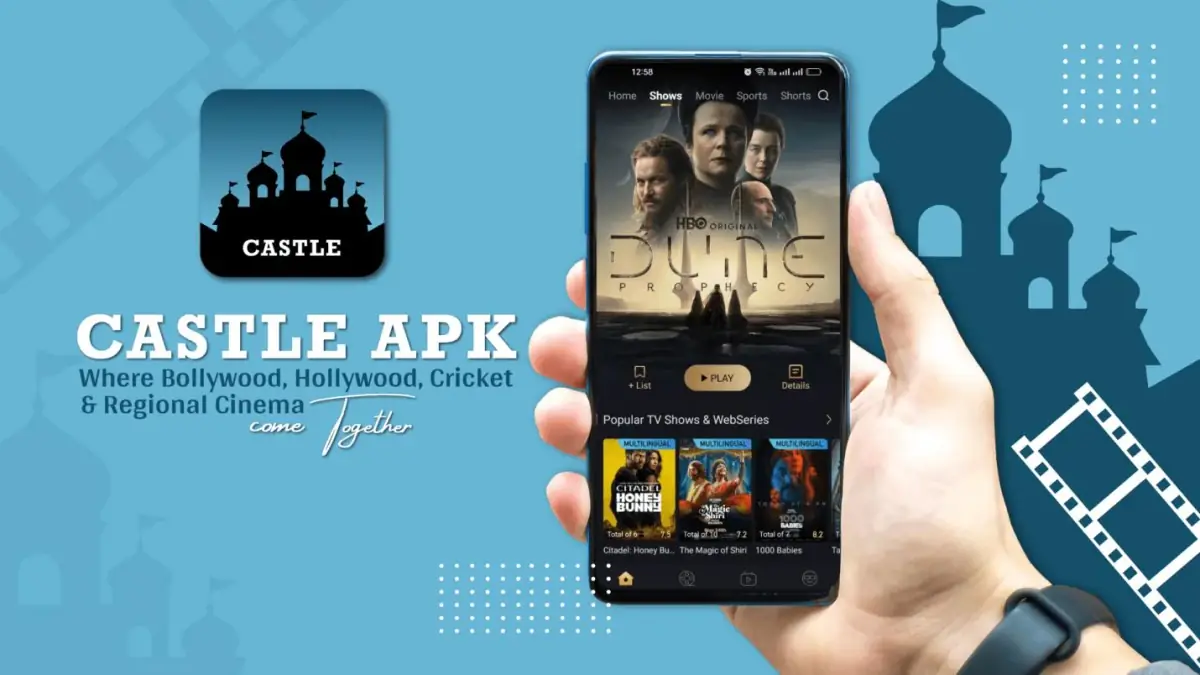
Key features of Castle APK
Castle focuses on choice and speed rather than a single type of content. These are the features people mention most.
- Streaming quality: HD and Full HD streams adapt to your connection
- Lightweight: about 35.7 MB, so it suits devices with limited storage
- Content library: movies, web series, live TV and sport in one app
- Subtitles and dubs: choose the language you prefer to watch in
- Offline usage: save titles to watch without a connection
- Simple UI: categories and search that work on a phone or TV remote
- Multi-device support: phone, tablet, Android TV and Fire TV Stick
Is Castle APK safe to download?
The most important rule is to download Castle only from the official website. Third-party stores, messaging channels and mirror links may host older files or builds that someone has changed. An official build is about 35.7 MB and asks only for storage and internet access.
When Android shows a Play Protect prompt, check that the file came from this site before continuing. No verified SHA-256 checksum has been published, so do not trust a page that claims to provide one. If a build asks for contacts, SMS, camera or payment access, uninstall it — that is not the official app.
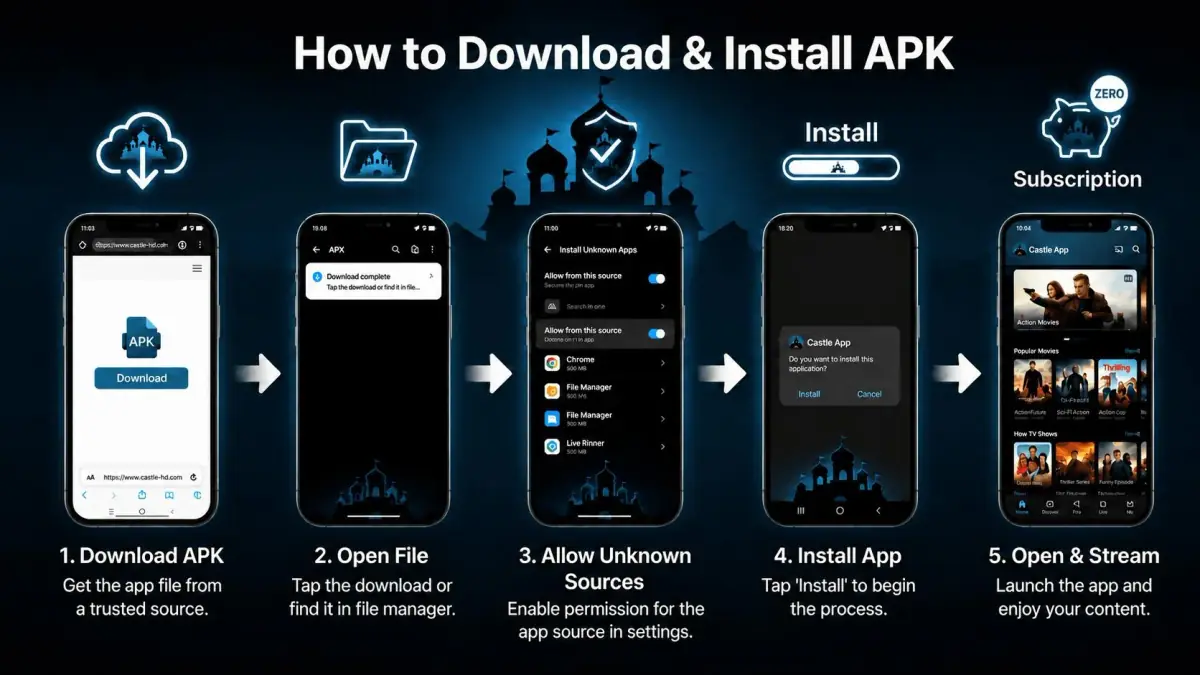
How to download and install Castle APK on Android
Follow these steps in order. The whole process normally takes less than five minutes.
- Go to the official website. Open this site on your Android device and go to the download page. Do not use a mirror or a link from a messaging app.
- Download the APK file. Tap the Download button and wait for the file to finish saving to your device.
- Install and open. Open the APK, allow installation from unknown apps if asked, tap Install, then tap Open.
Can you use Castle on TV, PC or iPhone?
The phone APK works on Android phones and tablets. Android TV boxes and Fire TV Stick use the separate TV APK linked on this page, which is built for a remote control and a large screen.
On Windows or macOS, you can run the phone APK in a free Android emulator such as BlueStacks or LDPlayer. There is no native iOS app and no native PC build. iPhone and iPad users should read the iOS availability page for details.
Common Castle APK problems and fixes
If Castle asks you to update, download the newer version from the official website instead of a pop-up from inside another app. If the install is blocked, check that Install unknown apps is enabled for the browser or file manager you used.
For an 'app not installed' error, remove any older Castle build, check your free storage, then install the official file again. If playback buffers, lower the video quality or switch servers in the player.
Download Castle APK from the official site
Castle is a free Android streaming app installed from the official APK. Download it only from this website, check that the file is about 35.7 MB and requires Android 6.0+, and follow the install steps above.
There is no native iOS or PC build. iPhone users should read the iOS availability page, and PC users can run the same APK in an Android emulator. If you hit a problem, the troubleshooting section and the help page cover the common fixes.
Why download Castle from the official website
The official site is the only source that lets you check the build before you install. Here you can compare the version number, file size and Android requirement against the file you downloaded, so you can spot an old or repackaged copy before it reaches your phone.
Third-party mirrors, chat links and 'mod' builds can change the installer without changing the name. If a file arrives from anywhere other than this website, or its details do not match the figures on this page, delete it and download again here.
- Current Android build: v2.1.4, about 35.7 MB, Android 6.0+
- Current TV build: v1.1.3, about 21 MB
- Publisher: Castle official team
- No signup or payment needed to watch
What happens after you tap Download (v2.1.4)
The download button starts the official APK file saving to your device. On a typical connection it takes less than a minute for the phone build and a little longer for the TV build. You can follow progress in your browser's download panel.
When the file finishes, open it from the notification or your downloads folder. Android may ask you to allow your browser to install apps from unknown sources; that is a one-time setting for the browser, not for Castle, and you can turn it off again afterwards.
- Save the file. Tap the download button and wait for the 35.7 MB APK to finish saving.
- Check the details. Compare the version and size shown by your file manager with the figures on this page.
- Install and open. Tap the file, allow the one-time permission if asked, tap Install, then open Castle.
Install troubleshooting: app not installed, parse error, update failed
Most install failures have a simple cause: not enough free storage, an older build still on the device, or a file that did not download completely. Work through the table below before looking for a more complicated reason.
If a message mentions a parse error, delete the file and download it again from this page. A partial download is the usual cause. If an update fails because a different version is already installed, remove that copy first and then install the current official build.
| App not installed | remove an older or unofficial Castle build, free some storage, then retry |
|---|---|
| Parse error or corrupt file | delete the APK and download it again from this website |
| Update failed | uninstall the old copy, install the current build, then sign in again if you use invite rewards |
| Play Protect warning | confirm the file came from this site before continuing |
Device compatibility checklist for Castle
The phone APK and the TV APK are separate builds. Choose the one that matches the device you are setting up; installing the phone APK on a television may work but the interface is designed for touch rather than a remote.
The table gives the verified requirements. It does not list every device model, so if your hardware runs Android of the stated version or later it should be able to run Castle.
| Android phone or tablet | Android 6.0+ or later |
|---|---|
| Phone APK size | about 35.7 MB |
| Android TV / TV box / Fire TV Stick | TV build v1.1.3, about 21 MB |
| Windows or macOS | use an Android emulator |
| iPhone, iPad and Apple TV | no native build available |
FAQ
Is Castle APK free to download and use?
Yes. Castle is free to download and use without a subscription. The free tier shows ads; an optional premium tier removes them.
Is the Castle APK safe to install?
Yes, when you download it from the official website. Check that the file is about 35.7 MB and avoid mod or cracked builds from third-party sites.
How do I install Castle APK on Android?
Download the APK from this page, open the file, allow installation from unknown apps if prompted, tap Install, then tap Open. The whole process takes under five minutes.
Which devices support Castle APK?
The phone APK runs on Android 6.0+ phones and tablets. Android TV and Fire TV Stick use the separate TV APK, and a PC can run the APK in an Android emulator.
Does Castle support offline viewing?
Yes. You can save selected titles to your device and watch them without an internet connection.
Is Castle available on the Google Play Store?
No. Castle is not listed on the Google Play Store. The only official way to install it is the APK from this website.